


LA Wallet
3.91.03K Reviews
App Specs
- Version
- 2.11.87
- Updated On
- License
- Free
- Downloads
- 1,000,000+
- Developer
- State of Louisiana
- Categories
- Travel & Local
- Platform
- Android, iOS
Screenshots
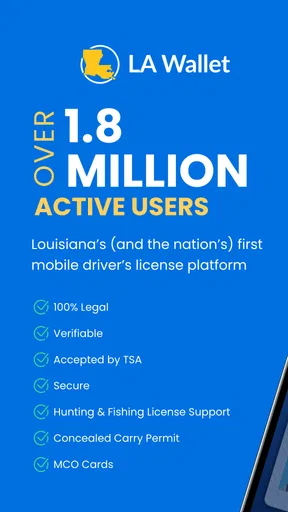
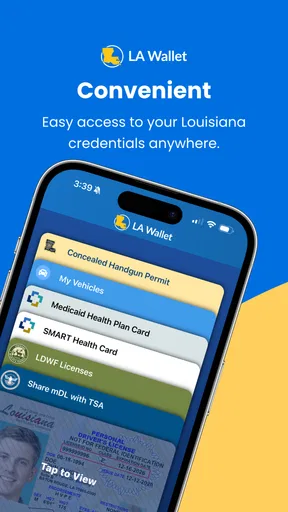
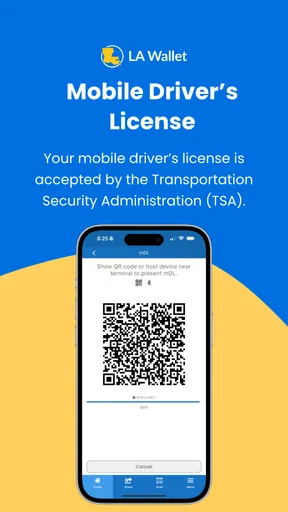
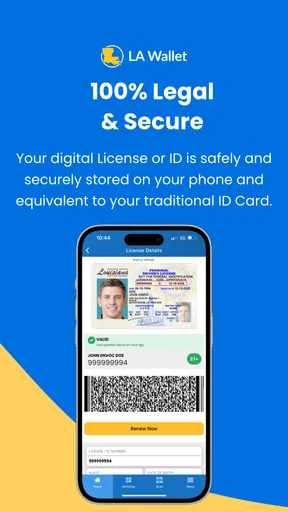
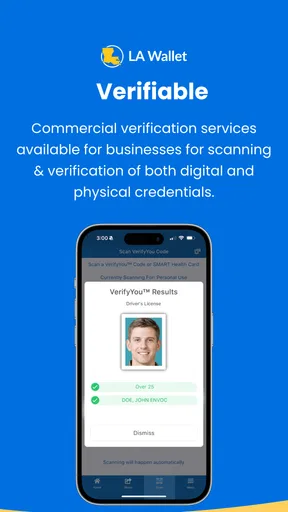
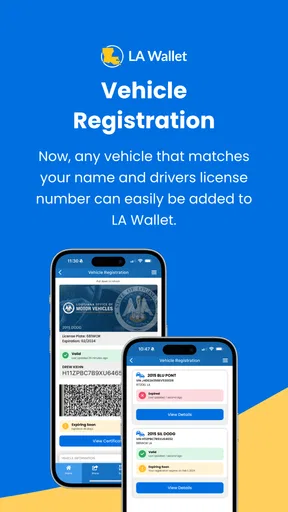
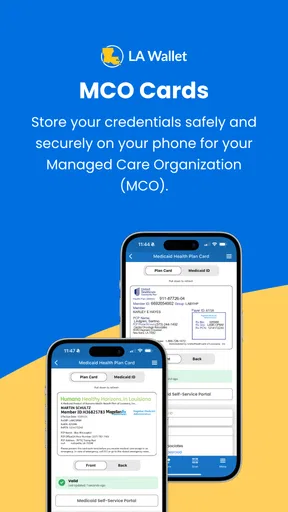
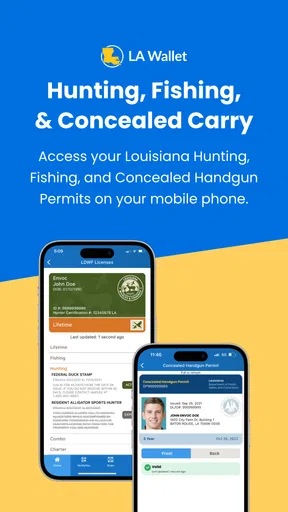
 Analysis by AppCompare
Carrying a driver’s license usually means checking the same pocket before leaving home, then repeating the check when you are already in a hurry. LA Wallet takes a different approach by putting Louisiana’s digital driver’s license on a phone. I found the idea useful because it addresses a very specific problem: having an official-looking credential available without relying on the physical card every time. It is a free Travel & Local app from the State of Louisiana, and its purpose is much narrower than a general travel planner or document-storage tool.
That narrow purpose is also the key to judging it fairly. This is not an app I would install simply because I like collecting digital versions of everything. It makes sense for a Louisiana driver who wants a state-issued digital option and is comfortable managing an identity-related app. It is less compelling for someone who rarely drives, does not live in Louisiana, or expects a phone credential to replace every situation in which a physical license may be requested.
What using LA Wallet feels like in everyday life
The first thing I noticed is that the app’s value depends on preparation rather than constant interaction. A digital license is most useful when it has already been set up before a stressful moment. If I am heading out and realize the physical card is still in another jacket, having the credential on my phone can be reassuring. That convenience is practical, but it does not remove the need to think ahead about the phone itself, its battery, and whether the person or organization I am dealing with accepts a digital credential.
A realistic example would be a Louisiana driver leaving for an evening appointment after changing bags. Instead of turning around to retrieve the wallet, I could open the app and present the digital license if it is accepted in that setting. The benefit is not that the app makes identification effortless in every circumstance; the benefit is that it creates another prepared option. I would still keep the physical license available whenever possible, especially for travel or any interaction where acceptance rules may vary.
The app’s store summary describes it as a Louisiana digital driver’s license, while its short store description uses the name LA Wallet. That distinction matters because the name can sound broader than the actual job. I would not treat it as a universal wallet for passports, payment cards, insurance documents, or unrelated records. Its identity is tied to the Louisiana driver’s license use case, and that focus is both its strongest point and its main limitation.
It has been available since July 2, 2018, which gives the concept some useful maturity compared with a newly launched experiment. The current version is 2.11.87, and the app requires Android 6.0 or later. On the popularity side, the listing shows more than one million installs, with an average rating of 3.8 from roughly three thousand ratings and about one thousand written reviews. Those figures suggest broad interest, but they also tell me not to confuse adoption with a guarantee of a smooth experience on every phone.
Trust starts with who is behind the app
For an identity-related application, the developer is more important to me than a polished interface. LA Wallet is developed by the State of Louisiana, which gives the app a clear connection to the jurisdiction whose driver’s license it represents. That does not automatically answer every privacy or usability question, but it is a more meaningful trust context than an unrelated third-party app claiming to store a copy of a license.
Worth Reading Before You Choose

EA SPORTS FC Mobile 26 Is a Bigger Football Game, but It Takes Time

Flipboard Shows What News Apps Must Do Beyond the Feed

Switching to Android Auto Means Rethinking Your Driving Routine

Google Calendar Makes a Crowded Week Easier to Manage

Ludo King Makes the Most of the Minutes Between Plans

Baby Panda World Brings Quick Play to Modern Phones, but Its Game Library Feels Busy
I also prefer this direct state connection because it helps define what the app should and should not be expected to do. The app is not presenting itself as a general-purpose identity service for every state. Its relevance is specifically Louisiana. If I were visiting from another state, I would not assume that installing it would make my own license available or accepted. For a Louisiana resident, the developer identity makes the app’s purpose easier to understand; for everyone else, it is a strong reason to look elsewhere.
Trust still has to be earned through the actual experience. A government connection can make the app feel more credible, but I would not skip normal caution just because the developer is a public authority. I would install it through the official app marketplace, check that the developer name matches State of Louisiana, keep the phone protected with a screen lock, and avoid treating screenshots or copied images as equivalent to an in-app credential.
Controls matter more than the digital label
My main question with any digital license is not simply whether it appears on screen. I want to know what I can control when the app is opened, what information is visible, and whether I can decide when to present it. LA Wallet is most useful when it gives me a deliberate presentation step rather than encouraging me to leave a sensitive credential permanently exposed on the display.
That is why I would open it only when needed, present the credential for the specific interaction, and close it afterward. This small habit reduces casual exposure if someone else picks up the phone. It also keeps the app in its proper role: a tool I use at a particular moment, not a document I leave visible while moving through a crowded place.
There is a practical trade-off here. A physical license can be handed over immediately, while a phone-based credential depends on unlocking the device and navigating to the right app. If the phone is slow, nearly out of power, or unavailable, the digital option becomes less helpful. I would therefore regard LA Wallet as a supplement to responsible identification habits, not as a reason to abandon the physical card entirely.
Another useful distinction is between showing a credential and sharing more personal information than necessary. Whenever I use an identity app, I pay attention to the exact presentation screen and avoid tapping through unfamiliar prompts quickly. If a person asks for information beyond what is needed for the stated purpose, I would pause and ask why. The app can provide a digital route, but I still control the conversation around that presentation.
Where privacy deserves extra attention
A driver’s license is sensitive because it connects identity, address-related details, and driving status in one credential. That makes ordinary phone care especially important. I would not lend an unlocked phone to someone while LA Wallet is open, and I would avoid displaying the screen in a queue where nearby people can read it. These are not dramatic technical concerns; they are simple habits that matter because a digital license is still personal information.
I would also think carefully before installing the app on a shared device. A phone used by several family members creates more opportunities for accidental access, saved login details, or confusion about whose credential is being shown. A personal, screen-locked phone is a better fit. If I changed phones, I would take time during setup to review account access and remove the old device from my routine rather than assuming the transition is automatically harmless.
Account control is another point where patience pays off. I would use a password that is not reused elsewhere, enable the phone’s strongest practical lock, and keep the operating system current. If the app presents account recovery or verification choices, I would read them instead of clicking through. The most trustworthy experience is not just one with a recognizable developer; it is one in which I understand how access is maintained and what I should do if the phone is lost.
If my phone disappeared, my first response would be to secure the device through the phone’s own lost-device tools and then review access to the app from another trusted device. I would not wait until that situation happened to learn how the account works. This is one of the less obvious preparations for using a digital license: the convenience is only worthwhile if I have a plan for the inconvenient edge cases.
Choosing when the app is the right tool
LA Wallet suits Louisiana drivers who already depend on their phone throughout the day and want a state-specific digital license available in addition to the physical card. It can be especially helpful for people who regularly switch bags, prefer carrying fewer cards, or have a habit of checking their phone before leaving home. The free price also makes trying it less financially demanding than buying a separate accessory or subscription-based document service.
I would be more cautious about recommending it to someone who dislikes account setup, has an older phone that struggles with current apps, or often travels through situations where a physical license is the safer choice. The Everyone age rating makes it broadly accessible, but age suitability is not the same as independence or judgment. A younger user may still need a parent or guardian to help with device security and responsible handling of an identity credential.
The app is also not the best answer for a person looking for one place to organize many forms of identification. A general wallet application may be more convenient for payment cards, loyalty cards, transit passes, and other everyday items. A physical wallet remains better for users who want one universally familiar object and do not want to worry about battery life, phone damage, operating-system compatibility, or whether a particular organization recognizes the digital format.
Compared with carrying only the physical license, LA Wallet offers redundancy and convenience but adds a technology layer. Compared with storing a photograph of the license, it is the more appropriate concept because a photo is merely an image and may not function as a meaningful digital credential. Compared with a broad digital wallet, LA Wallet is more focused and easier to understand, but it covers a much smaller part of daily life.
Small habits that make the experience safer
I would set up and test the app at home rather than waiting until I am standing at a counter. That gives me time to understand where the credential appears, how quickly it opens, and whether my phone’s lock settings create any unexpected friction. A short practice run also makes it easier to explain what I am presenting without fumbling through unrelated apps or notifications.
I would keep notifications from exposing sensitive details on the lock screen whenever the phone offers that choice. I would also avoid recording the credential with a screenshot unless there were a very specific, legitimate reason and I understood the risk. A screenshot can remain in a photo library, cloud backup, or message thread long after the original situation has ended. Using the app directly keeps the presentation closer to the intended workflow.
For travel, I would check the requirements of the destination and the organization involved before relying on the digital license. The fact that the app represents a Louisiana credential does not mean every airport, rental desk, border crossing, hotel, or law-enforcement interaction will treat it as a substitute for the physical card. This is the most important practical trade-off: convenience at home or in familiar local situations does not automatically translate into universal acceptance elsewhere.
I would also make sure the phone has enough charge before driving, especially if I expect to need the credential later. A portable charger is more useful than assuming a digital license can be accessed at the exact moment it is needed. If the phone is damaged or offline, the physical card becomes the dependable fallback. Keeping both options is not redundant in a bad way; it is sensible planning for two different failure points.
How the app handles the question of user agency
For me, user agency means being able to decide when to open the credential, what situation it is for, and how carefully I protect the device that displays it. LA Wallet works best when I treat those decisions as part of using the app, not as details the app can solve on my behalf. The digital format may reduce what I carry, but it does not eliminate my responsibility to verify who is asking for identification.
I would be particularly careful in informal situations. If someone casually asks to “see the app” without explaining the purpose, I would not hand over my unlocked phone. I would ask whether a physical license is sufficient or whether there is a specific reason the digital credential is needed. That approach preserves control and avoids turning a convenient tool into an invitation for unnecessary browsing through the device.
There is also a social advantage to having a clear, limited workflow. I can open the credential, show it for the relevant purpose, and put the phone away. That is preferable to passing a phone around or leaving a full personal profile visible. The app cannot guarantee respectful handling by another person, so a controlled presentation remains the best protection available in ordinary use.
When deciding whether to keep using it, I would judge the app by reliability in my own routine rather than by the install count or average rating alone. A rating around 3.8 is neither a warning to avoid it nor proof that every device behaves identically. The written reviews can point to recurring friction, but my own test should focus on setup, access, account recovery, and whether the digital credential is accepted in the places where I actually expect to use it.
My cautious recommendation
I see LA Wallet as a sensible companion for a Louisiana driver who wants a digital version of a state driver’s license and is willing to maintain good phone-security habits. Its strongest qualities are its focused purpose, its connection to the State of Louisiana, and the everyday convenience of having another way to present identification. Because it is free and supports Android 6.0 or later, the barrier to trying it is relatively low for compatible users.
My recommendation comes with a firm condition: do not make it your only plan. Keep the physical license available when acceptance is uncertain, before travel, and whenever the phone could be unavailable. Protect the device, learn the account controls before an emergency, and treat every presentation as a deliberate exchange of sensitive information rather than a casual tap.
LA Wallet is worth considering when convenience and a Louisiana-specific digital credential are your priorities, but it is not a universal replacement for a physical license or a complete personal wallet. I would install it for the backup value and the reduced need to carry the card in selected everyday situations, then continue using it with the same caution I would apply to any app connected to my identity.
Pros
- Officially accepted digital Louisiana driver’s license
- Useful for age and identity verification at participating locations
- Can reduce the need to carry a physical license
- Face ID or fingerprint support adds convenient security
- Displays license details and status in a simple interface
Cons
- Acceptance is limited outside Louisiana and participating businesses
- Requires a compatible smartphone with sufficient battery
- Some features may need an internet connection
- Not a replacement for carrying other required documents
- Initial setup may require identity verification and personal details
FAQs for LA Wallet
What is LA Wallet, and what can I use it for?
LA Wallet is Louisiana’s official digital wallet application for storing and presenting certain state-issued credentials on a compatible smartphone. Its main purpose is to provide a digital version of a Louisiana driver’s license or identification card, which can be used in situations where digital credentials are accepted. The app may also provide access to additional state services and official documents, depending on current availability.
Is LA Wallet accepted everywhere as a replacement for a physical ID?
No. LA Wallet should not automatically be considered a universal replacement for a physical driver’s license or identification card. Acceptance depends on the business, organization, law-enforcement agency, airport, event venue, or government office you are visiting. Before relying on the app, it is wise to carry your physical ID as a backup, especially when traveling outside Louisiana or visiting locations that have not yet adopted digital credential verification.
How do I set up and verify my identity in LA Wallet?
After installing LA Wallet, you generally need to create an account and follow the identity-verification process to add your Louisiana driver’s license or identification card. The app may request personal information, a photograph, and permission to use your phone’s camera for verification. Make sure your details match your state records, use a reliable internet connection, and follow every instruction carefully to avoid delays or failed verification attempts.
Is LA Wallet safe to use, and what happens if I lose my phone?
LA Wallet is designed to protect access to your digital credentials through account security and identity-verification measures, but users should still treat the phone as sensitive personal equipment. Use a strong device passcode, keep the operating system updated, and avoid sharing account credentials. If your phone is lost or stolen, secure your account immediately, contact the appropriate support service, and use your physical identification until access is restored.
Does LA Wallet cost money, and what devices are compatible with it?
The LA Wallet application is generally available to download without an upfront app-store purchase, although certain credential-related services or state fees may apply depending on the feature being used. Compatibility can vary according to your Android or iOS version, device security settings, and camera capabilities. Before downloading, check the current requirements in the official app store and ensure that your device supports the latest version.


